24×7 Intelligent Fire Safety Monitoring, Monitor your fire protection systems in real time with CONNECT. Stay compliant, prevent failures, protect lives and assets from anywhere.
Physical Sensors
Any type, Any count
CONNECT Device
Input Monitoring Device
SFPL Cloud Server
Secure & Real-time
CONNECT Portal
Monitor, Alert & Analysis
Your Team
Instant Alerts & Insights
From field sensors to real-time insights,
A complete fire safety monitoring ecosystem.
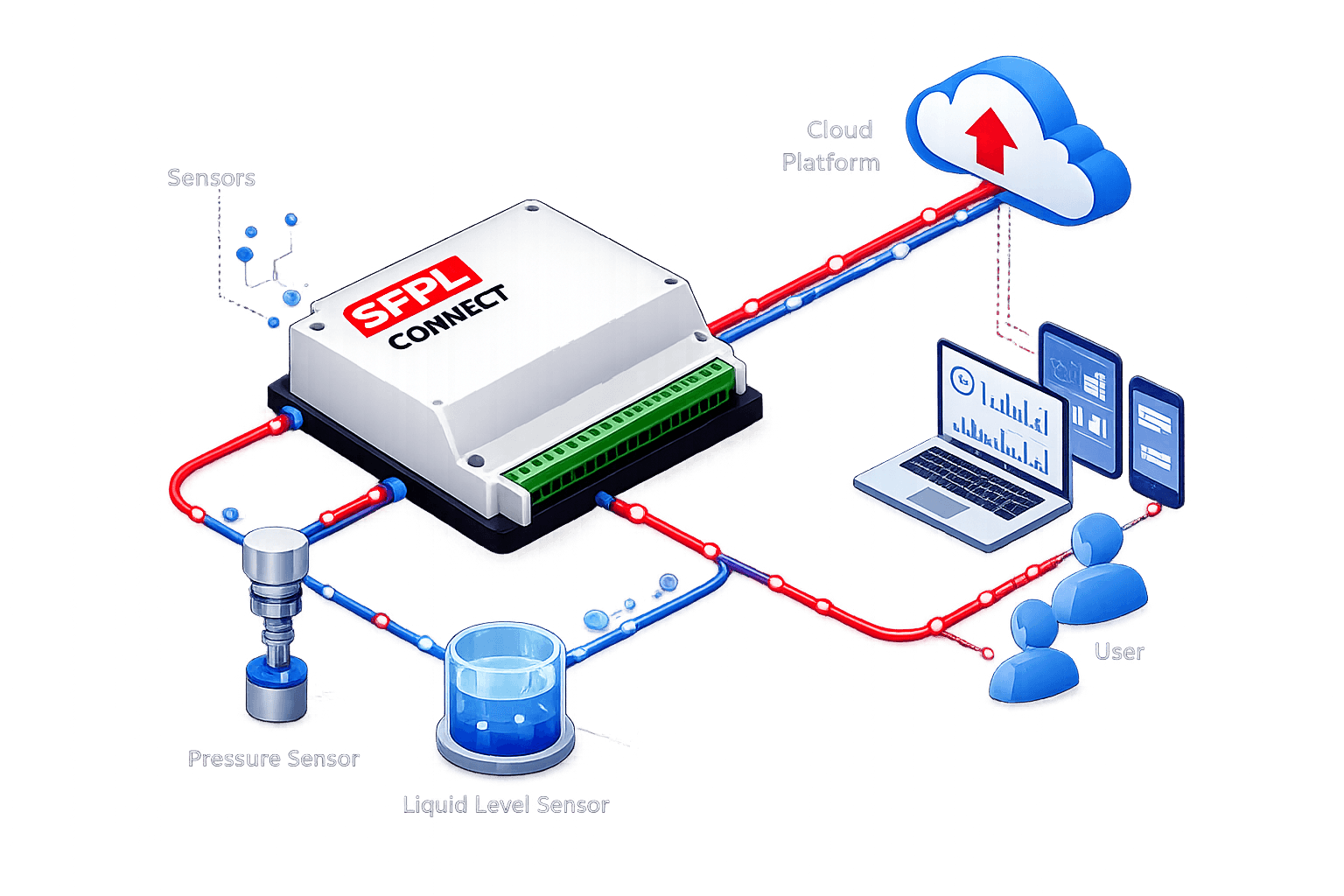
Step - 1
Connect pressure, water level, temperature, voltage, current, flow, or other compatible sensors to the SFPL CONNECT device.
Step - 2
The SFPL CONNECT IoT device continuously monitors all connected inputs and securely transmits real-time data to the SFPL Cloud over reliable communication networks.
Step - 3
The SFPL Cloud receives, calibrates, processes and securely stores every data point. Intelligent rules, custom calibration and configurable alert thresholds ensure accurate monitoring and timely notifications.
Step - 4
Access live dashboards, device status, alerts, reports, analytics and map views through the SFPL CONNECT web portal or mobile device—anytime, anywhere.
Connect your field devices to the appropriate input terminals, power up the unit,
start monitoring live data through the SFPL Connect Portal.
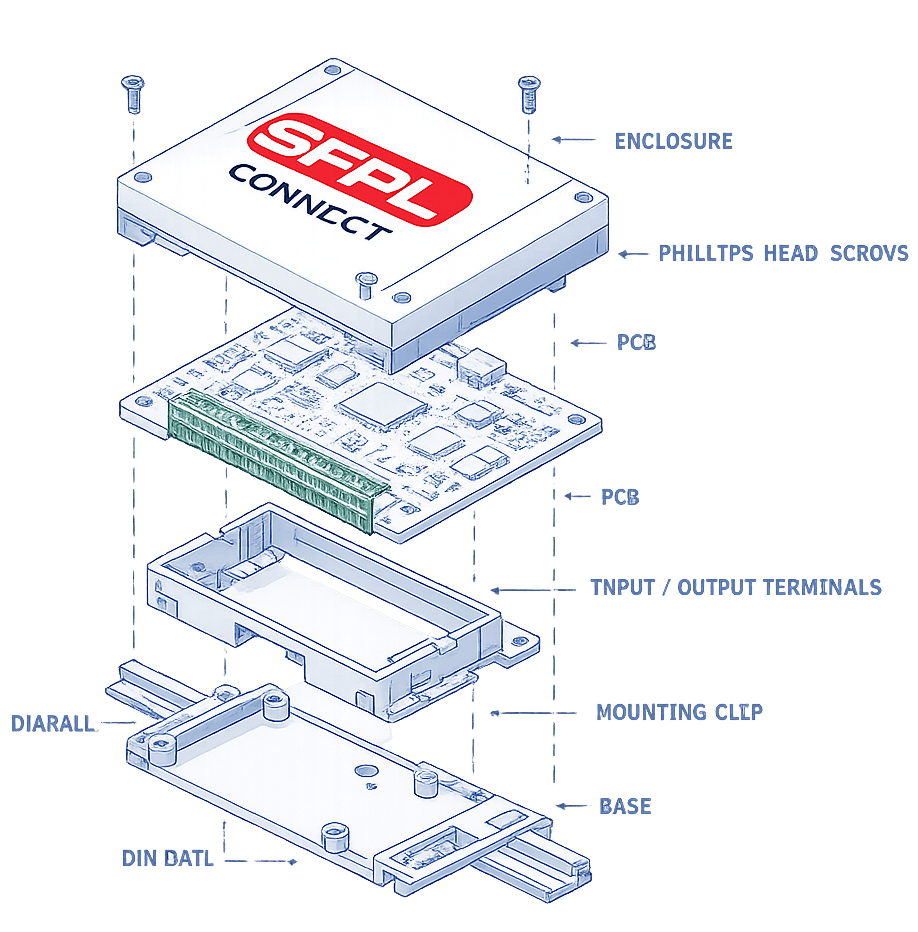
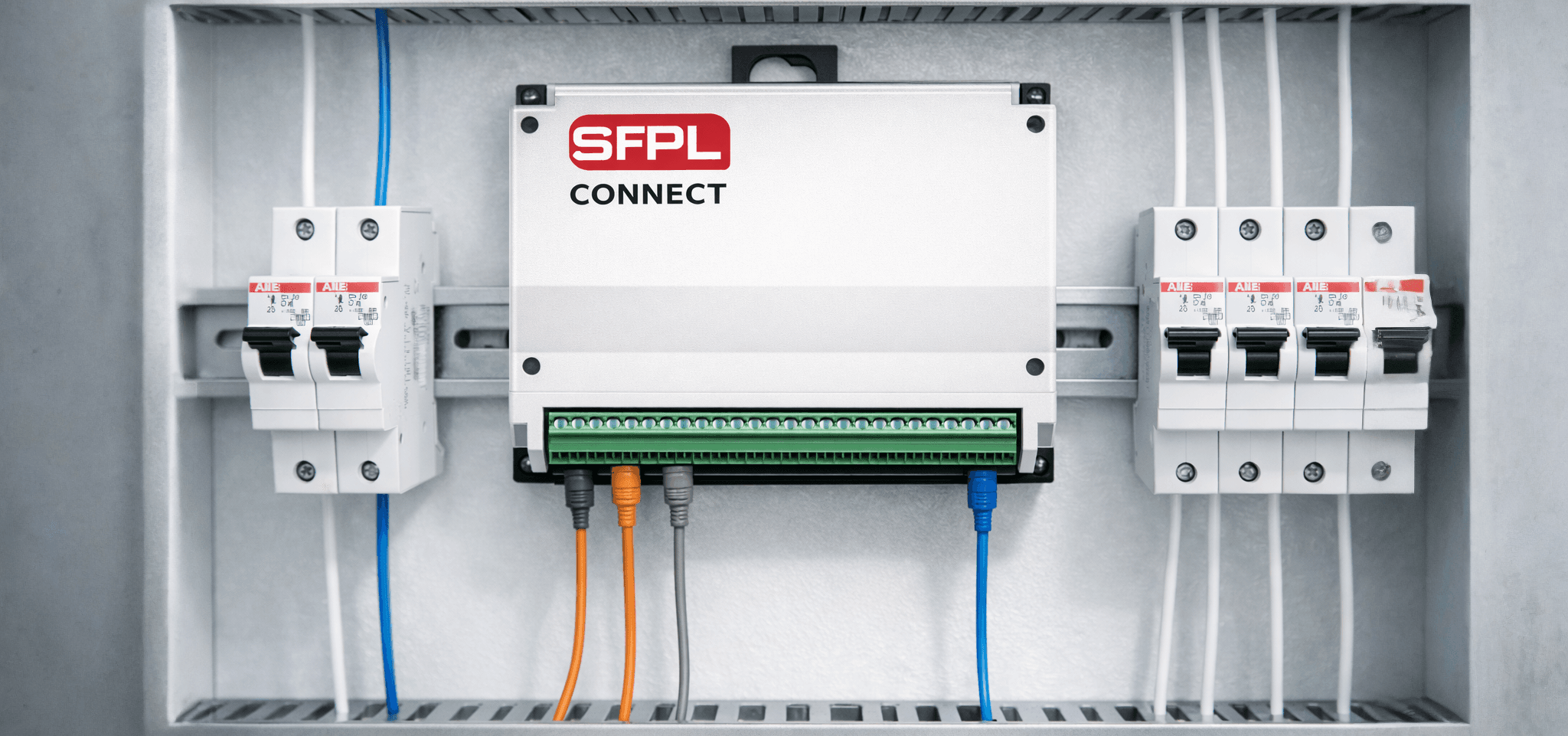
SFPL Connect is a compact DIN-rail mounted IoT device with screw-terminal connectors. It features *17 dedicated inputs*, grouped by signal type, allowing a single device to monitor three-phase electrical systems, current transformers (CTs) and multiple field sensors simultaneously.
How to use the 17 inputs
Power the device
1 pin · 12–24 V DCConnect a 12–24 V DC power supply to the power input terminal. This input is dedicated to powering the SFPL Connect device and its communication module.
Measure Three Phase Voltage
3 pins · Up to 300 V ACConnect each phase (R, Y and B) from the electrical distribution panel to the *VR, VY and VB* terminals. These isolated inputs continuously monitor mains voltage.
Use for: 3 phase voltage monitoring , Phase loss detection , Power supply health monitoring , Voltage imbalance detection
Measure Three-Phase Current (Using CT)
3 pins · Up to 150 A - 5 V ACConnect the low-voltage output of a compatible Current Transformer (CT) to the IR, IY and IB terminals. Do not connect mains voltage directly to these inputs. Only connect the CT secondary output (maximum 5 V AC).
Use for: Phase current monitoring , Electrical load analysis , Energy monitoring , Overload detection
Connect field sensors
9 pins · 0–30 V DCConnect the analog output of each sensor to any of the A1–A9 input terminals. Each input supports one sensor with an operating range of 0–30 V DC. Sensor readings can be individually calibrated within the SFPL Connect Portal to display engineering units such as pressure, level, flow, or temperature.
Use for: Pressure Sensors , Water Level Sensors , Temperature Sensors , Flow Sensors , Voltage Sensors , Other 0–30 V DC Analog Sensors
Secure Cloud Connectivity
Integrated AntennaThe built-in GSM communication module with an integrated antenna securely transmits data to the SFPL Connect Cloud. No external modem or antenna is required where GSM coverage is available.
Battery Backup
7.4 V - 2600 mAhAn integrated 7.4 V, 2600 mAh rechargeable battery provides backup power during temporary power outages, ensuring uninterrupted monitoring and data transmission even during brief supply interruptions.

One portal to manage every device, project and alert — with real-time dashboards you can act on instantly.
Real-time Admin Portal
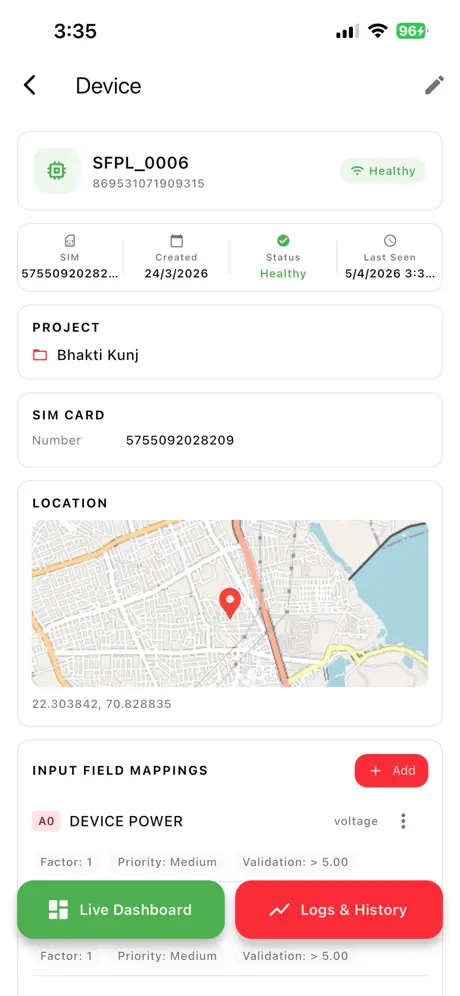
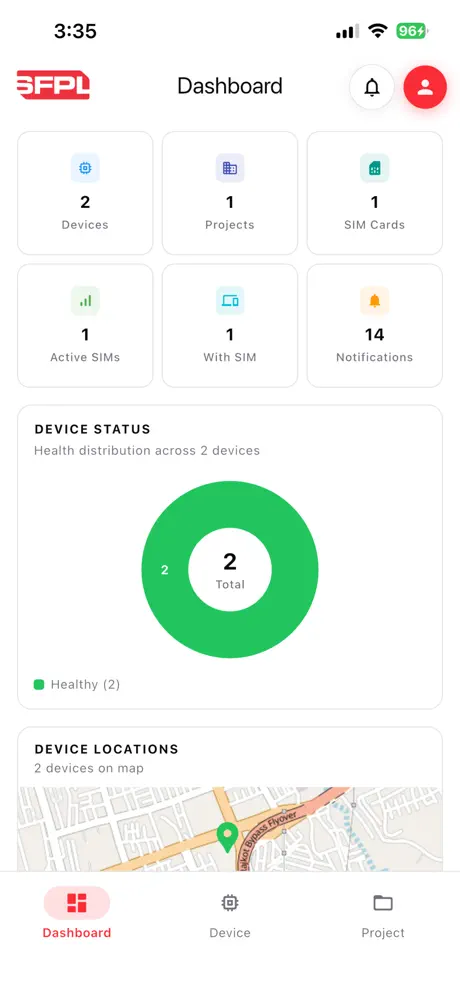
Manage devices and projects from a single, intuitive dashboard.
Custom Alerts
Set custom alerts at project and device level. Get notified when thresholds are crossed.
Live Monitoring Dashboard
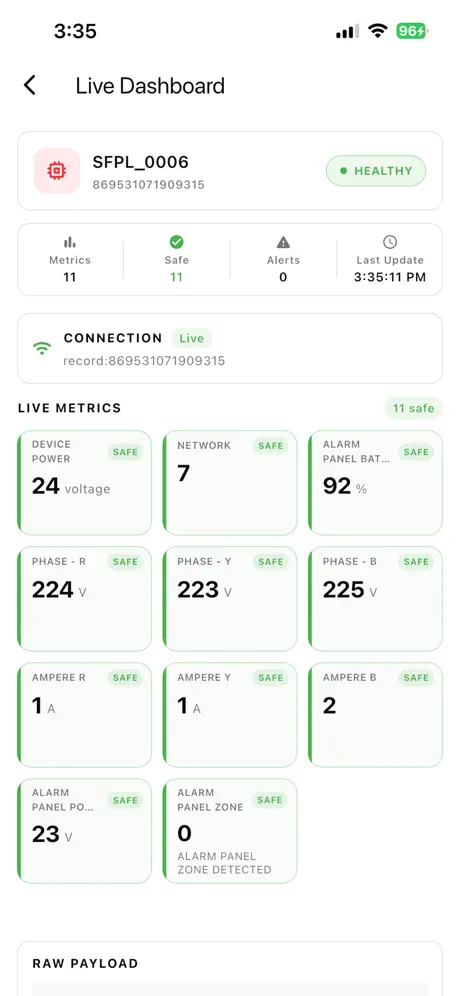
Real-time dashboards for each device with live data visualization.
Integrated Map
View all devices on an integrated map for location-based monitoring.
connectio.specificfire.com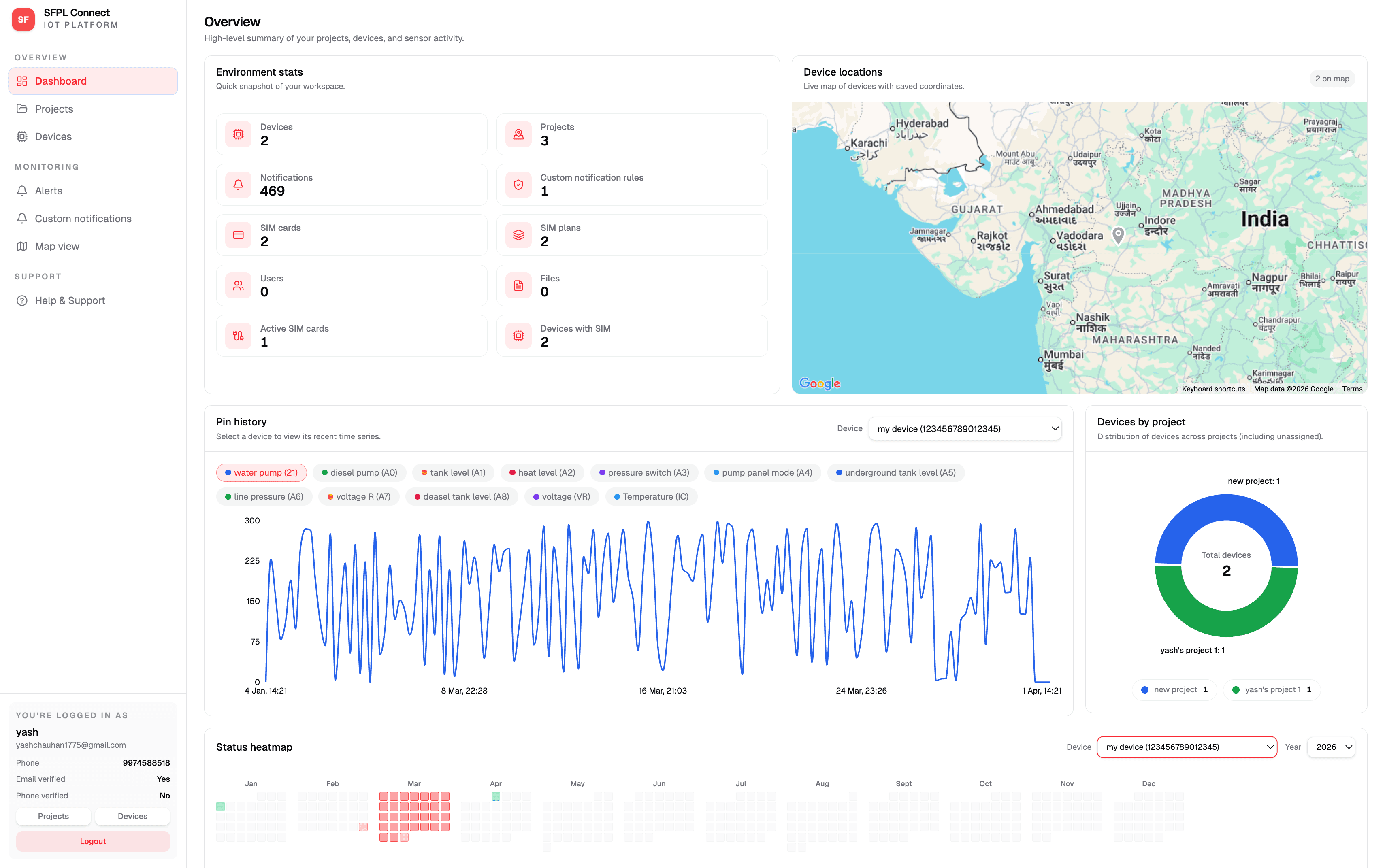
ConnectIO Portal
The same ConnectIO experience on desktop and phone — dashboards, devices and alerts in one place.
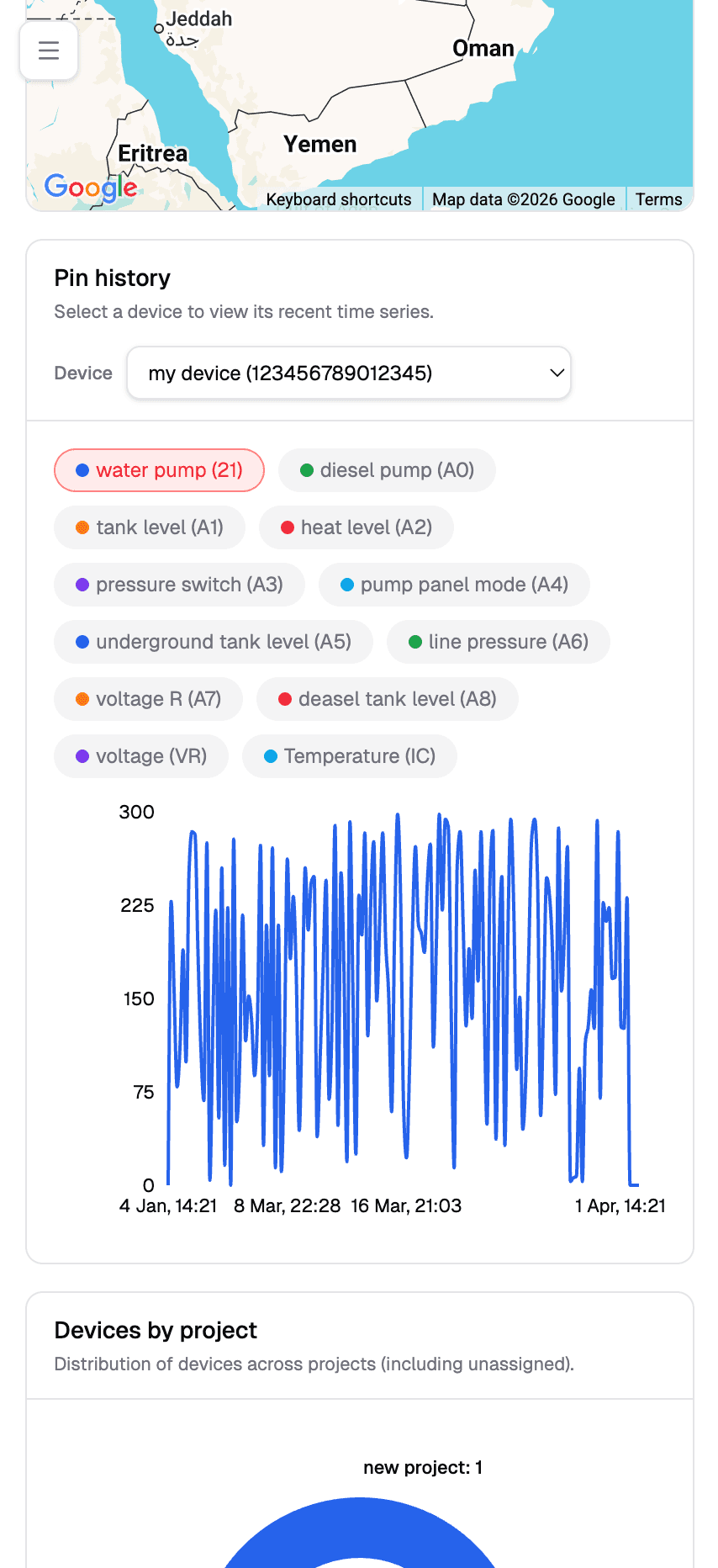
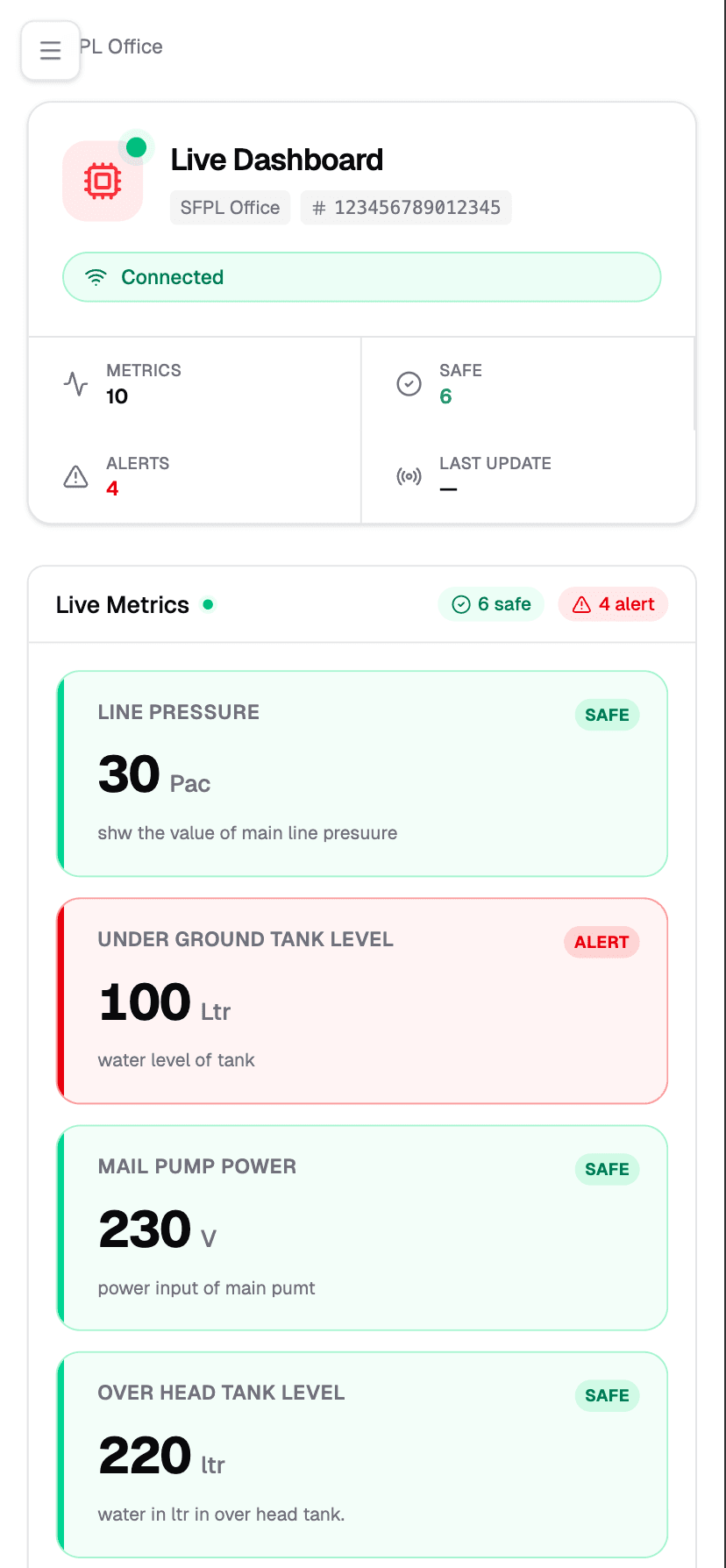
Responsive dashboards and charts
Instant alerts and status overview
Fast navigation across devices & projects
Get started — web login
Open connectio.specificfire.com, sign in with email or Google, then open Dashboards, Devices or Map.
Live fire safety sensor status and instant alerts — right from your phone.
Available now
Official mobile companion for SFPL CONNECT monitoring.
Take ConnectIO with you — live sensor readings and instant alerts on your phone, so you can monitor fire safety systems from anywhere, anytime.
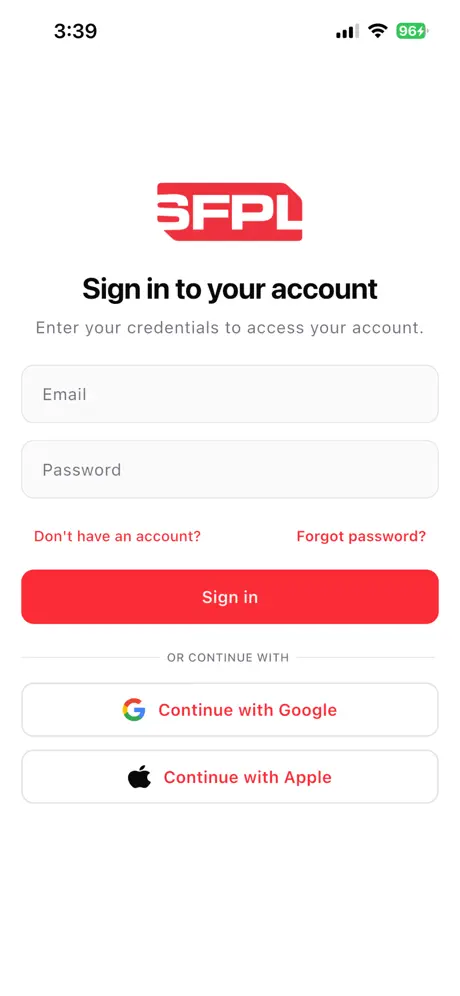
Secure login
Sign in with your ConnectIO account — same credentials as the web portal.
Live sensor data
Monitor device status and readings from connected facilities on the go.
Instant alerts
Real-time notifications when safety events are detected.
Get started — install on phone
Use API keys for secure access to your projects and subscribe to webhooks for real-time events.
Auth
API key access
Generate API keys per project and control access to devices, readings, alerts and dashboards.
Header
Events
Webhooks
Subscribe to events and handle automation in your own system—CRM, ERP, WhatsApp, alerts, anything.
sfpl-connect / quickstart
# fetch latest readings
$ curl -H "x-api-key: sfpl_live_••••••" https://api.sfplconnect.com/v1/readings?device_id=dev_456
Auth
API key
Format
JSON
Events
Webhooks
Build custom dashboards, automations and integrations on top of SFPL CONNECT.
Webhook event example
JSON{
"event": "alert.triggered",
"timestamp": "2026-03-18T10:25:13.222Z",
"project_id": "proj_123",
"device_id": "dev_456",
"data": {
"pin": "P3",
"metric": "temperature",
"value": 78.4,
"threshold": 75,
"severity": "high"
}
}Typical events include reading.created, alert.triggered, and device.status.
SFPL CONNECT adapts to different sectors where live monitoring and fast response matter.
Cross-industry platform
Multi-site readyDeploy the same SFPL CONNECT stack across plants, utilities and facilities while keeping dashboards and alerts tailored per site.
Manufacturing
Track machine load, panel health and production utility signals in real time.
Buildings
Residential, Hospital, Educational, Institutional, Commercial, Hotel, Industrial, etc...
Water & Utilities
Capture tank level, flow and pump status with instant threshold-based alerts.
Energy Monitoring
Measure phase-wise voltage/current and optimize usage with historical trends.

Connect Devices
Order IoT devices directly and get started with real-time monitoring on SFPL CONNECT.